
Contents
- 📱 Introduction to Phone Storage Management
- 💻 Understanding Phone Storage: Types and Limits
- 🚮 Identifying Storage Hogs: Apps, Media, and Files
- 📊 Analyzing Storage Usage: Built-in Tools and Third-Party Apps
- 📈 Optimizing Storage: Deleting Unused Apps and Data
- 📁 Organizing Files and Folders: Best Practices
- 💸 Paid Storage Options: Cloud Services and External Storage
- 🔒 Security Considerations: Protecting Your Data
- 📚 Maintenance and Backup: Regular Spring Cleaning
- 🤔 Troubleshooting Common Storage Issues
- 📊 Measuring Success: Tracking Storage Usage Over Time
- Frequently Asked Questions
- Related Topics
Overview
With the average person storing over 1,000 photos and 100 apps on their device, phone storage can quickly become a nightmare. According to a study by Verizon, 64% of smartphone users have less than 1GB of free storage space, leading to slower performance and increased risk of data loss. By implementing a few simple strategies, such as regularly deleting unused apps, clearing cache and cookies, and utilizing cloud storage services like Google Drive or Dropbox, users can free up to 5GB of storage space and improve their phone's overall performance. For example, deleting social media apps like Facebook and Instagram can free up to 500MB of storage space, while clearing the cache of apps like Spotify and Netflix can free up to 1GB. Additionally, using storage management tools like Phone Cleaner or Storage Analyzer can help identify and eliminate unnecessary files, further optimizing phone storage. As the demand for storage space continues to grow, with the global mobile storage market projected to reach $12.3 billion by 2025, it's essential for users to stay on top of their phone's storage management to ensure optimal performance and security.
📱 Introduction to Phone Storage Management
When it comes to phone storage management, it's essential to understand the different types of storage available, including Internal Storage and External Storage. As of 2022, the average smartphone user has around 32GB of internal storage, with some devices offering up to 1TB of storage. However, with the rise of high-quality cameras and video recording capabilities, storage space can quickly become limited. To master storage management, it's crucial to identify storage hogs, such as Social Media Apps and Gaming Apps, and optimize storage usage. For more information on phone storage, visit our Phone Storage page.
💻 Understanding Phone Storage: Types and Limits
Phone storage can be categorized into two main types: internal storage and external storage. Internal storage refers to the built-in storage capacity of your device, while external storage includes MicroSD Cards and Cloud Storage services. Understanding the limits of your phone's storage is vital to managing it effectively. For example, if you have a device with 64GB of internal storage, you may need to consider Cloud Backup options to free up space. Additionally, you can use File Manager Apps to analyze and manage your storage usage.
🚮 Identifying Storage Hogs: Apps, Media, and Files
Identifying storage hogs is a critical step in optimizing phone storage. Apps like Facebook and Instagram can consume large amounts of storage space, especially if you have a large number of photos and videos. Similarly, Music Streaming Apps like Spotify can store large music libraries on your device. To free up space, consider deleting unused apps and data, or transferring files to external storage devices like External Hard Drives. You can also use App Manager tools to uninstall unused apps and Clean Up temporary files.
📊 Analyzing Storage Usage: Built-in Tools and Third-Party Apps
Analyzing storage usage is essential to understanding where your storage space is being used. Built-in tools like Settings and Storage Settings can provide insights into storage usage, while third-party apps like Clean Master and Disk Cleanup can offer more detailed analysis. These tools can help you identify areas where you can optimize storage usage, such as deleting unused files and apps. For more information on storage analysis tools, visit our Storage Analysis Tools page. You can also use System Information apps to monitor your device's storage usage.
📈 Optimizing Storage: Deleting Unused Apps and Data
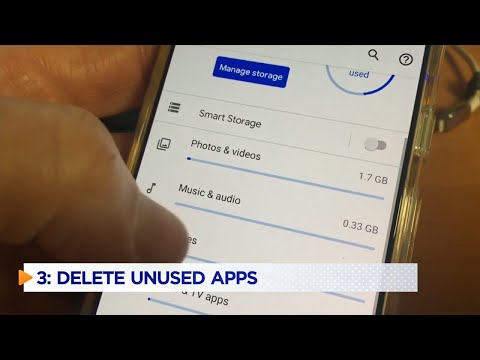
Optimizing storage involves deleting unused apps and data, as well as transferring files to external storage devices. Consider deleting apps you no longer use, and transfer files like photos and videos to Google Photos or iCloud. You can also use App Uninstaller tools to remove unused apps and File Shredder tools to securely delete sensitive files. Additionally, you can use Storage Optimizer tools to optimize your device's storage usage. For more information on storage optimization, visit our Storage Optimization page.
📁 Organizing Files and Folders: Best Practices
Organizing files and folders is crucial to maintaining a clutter-free phone storage system. Consider creating folders for different types of files, such as Documents and Videos. You can also use File Naming Conventions to keep your files organized. For example, you can use a consistent naming convention for your files, such as including the date and type of file. Additionally, you can use Tagging and Categorization tools to categorize your files and make them easier to find.
💸 Paid Storage Options: Cloud Services and External Storage
If you've optimized your storage usage and still need more space, consider paid storage options like Cloud Storage Services and External Storage Devices. Cloud storage services like Google Drive and Dropbox offer a range of storage plans, from 100GB to 2TB. External storage devices like MicroSD Cards and USB Drives can also provide additional storage capacity. For more information on paid storage options, visit our Paid Storage Options page. You can also use Storage Comparison Tools to compare different storage options.
🔒 Security Considerations: Protecting Your Data
When it comes to phone storage, security is a top concern. Consider using Encryption tools to protect your data, and use strong passwords and Two-Factor Authentication to secure your device. You can also use Antivirus Software to protect your device from malware and viruses. Additionally, you can use Backup and Recovery tools to ensure that your data is safe in case your device is lost or stolen. For more information on phone security, visit our Phone Security page.
📚 Maintenance and Backup: Regular Spring Cleaning
Regular spring cleaning is essential to maintaining a healthy phone storage system. Consider setting a reminder to clean up your storage every few months, and use tools like Clean Master and Disk Cleanup to analyze and optimize your storage usage. You can also use Maintenance Scheduler tools to schedule regular maintenance tasks, such as cleaning up temporary files and updating your operating system. Additionally, you can use Backup Scheduler tools to schedule regular backups of your data.
🤔 Troubleshooting Common Storage Issues
If you're experiencing common storage issues like slow performance or running out of space, consider troubleshooting tools like System Information and Storage Analysis Tools. These tools can help you identify the root cause of the issue and provide solutions to optimize your storage usage. For more information on troubleshooting storage issues, visit our Troubleshooting Storage Issues page. You can also use Error Reporting tools to report errors and get help from support teams.
📊 Measuring Success: Tracking Storage Usage Over Time
Measuring success is crucial to maintaining a healthy phone storage system. Consider tracking your storage usage over time using tools like Storage Usage Tracker and Disk Usage Analyzer. These tools can provide insights into your storage usage patterns and help you identify areas for optimization. For more information on measuring success, visit our Measuring Success page. You can also use Benchmarking Tools to compare your device's performance with other devices.
Key Facts
- Year
- 2023
- Origin
- Vibepedia
- Category
- Mobile Optimization
- Type
- Tutorial
- Format
- how-to
Frequently Asked Questions
What is the average storage capacity of a smartphone?
The average storage capacity of a smartphone is around 32GB, although some devices offer up to 1TB of storage. To put this into perspective, 32GB of storage can hold around 6,000 songs or 10,000 photos. However, with the rise of high-quality cameras and video recording capabilities, storage space can quickly become limited. Consider optimizing your storage usage by deleting unused apps and data, and transferring files to external storage devices like MicroSD Cards or Cloud Storage Services.
How can I identify storage hogs on my phone?
To identify storage hogs on your phone, consider using built-in tools like Settings and Storage Settings, or third-party apps like Clean Master and Disk Cleanup. These tools can provide insights into storage usage and help you identify areas where you can optimize storage usage. For example, you can use the Storage Settings tool to see which apps are using the most storage space, and then delete or uninstall those apps to free up space.
What are some paid storage options for phone storage?
Paid storage options for phone storage include Cloud Storage Services like Google Drive and Dropbox, as well as External Storage Devices like MicroSD Cards and USB Drives. Cloud Storage Services offer a range of storage plans, from 100GB to 2TB, while External Storage Devices can provide additional storage capacity. For example, you can use Google Drive to store your files and access them from any device, or use a MicroSD Card to expand your device's storage capacity.
How can I secure my phone storage?
To secure your phone storage, consider using Encryption tools to protect your data, and use strong passwords and Two-Factor Authentication to secure your device. You can also use Antivirus Software to protect your device from malware and viruses. Additionally, you can use Backup and Recovery tools to ensure that your data is safe in case your device is lost or stolen. For example, you can use a password manager to generate strong passwords and store them securely, or use a backup service to automatically back up your data to the cloud.
What are some common storage issues and how can I troubleshoot them?
Common storage issues include slow performance and running out of space. To troubleshoot these issues, consider using tools like System Information and Storage Analysis Tools to identify the root cause of the issue and provide solutions to optimize your storage usage. For example, you can use the Storage Analysis Tools to see which apps are using the most storage space, and then delete or uninstall those apps to free up space. You can also use the System Information tool to see if your device is running low on storage space, and then transfer files to external storage devices to free up space.
How can I measure the success of my phone storage management?
To measure the success of your phone storage management, consider tracking your storage usage over time using tools like Storage Usage Tracker and Disk Usage Analyzer. These tools can provide insights into your storage usage patterns and help you identify areas for optimization. For example, you can use the Storage Usage Tracker to see how much storage space you're using over time, and then adjust your storage usage habits accordingly. You can also use the Disk Usage Analyzer to see which files and apps are using the most storage space, and then delete or uninstall those files and apps to free up space.
What are some best practices for organizing files and folders on my phone?
Best practices for organizing files and folders on your phone include creating folders for different types of files, such as Documents and Videos, and using File Naming Conventions to keep your files organized. You can also use Tagging and Categorization tools to categorize your files and make them easier to find. For example, you can create a folder for your photos and use a consistent naming convention for your photo files, such as including the date and location where the photo was taken.